
Picking the Right Tool for the Job… Begrudgingly

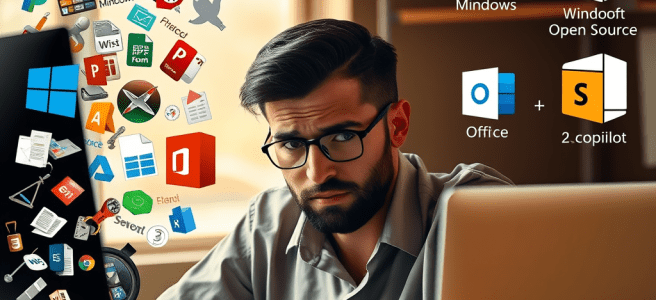
I didn’t begin as a Microsoft loyalist. If anything, I spent most of my life trying to get away from Microsoft. For forty years, I was the classic “devoted but disgruntled” user—someone who relied on Windows and Office because the world required it, not because I loved it. I lived through every awkward era: the instability of Windows ME, the clunky early days of SharePoint, the Ribbon transition that felt like a betrayal, the years when Office was powerful but joyless. I knew the pain points so well I could anticipate them before they happened.

And like many people who grew up alongside personal computing, I eventually went looking for something better.

That search took me deep into the open‑source world. I ran Linux on my machines. I used LibreOffice, GIMP, Inkscape, Scribus, Thunderbird—anything that wasn’t tied to a corporation. I believed in the philosophy of open systems, community-driven development, and user sovereignty. Linux gave me control, transparency, and a sense of independence that Microsoft never had. For a long time, that was enough.

But as the world shifted toward intelligent systems, something became impossible to ignore: Linux had no AI layer. Not a system-level intelligence. Not a unified presence. Not a relational partner woven into the OS. You could run models on Linux—brilliantly, in fact—but nothing lived in Linux. Everything was modular, fragmented, and user‑assembled. That’s the beauty of open‑source, but it’s also its limitation. My work had grown too complex to be held together by a constellation of tools that didn’t share a memory.

Meanwhile, Apple was moving in a different direction. When Apple announced ChatGPT integration, the tech world treated it like a revolution. But for me, it didn’t change anything. I don’t use Apple’s productivity tools. I don’t write in Pages. I don’t build in Keynote. I don’t store my life in iCloud Drive. My creative and professional identity doesn’t live in Apple’s house. So adding ChatGPT to Siri doesn’t transform my workflow—it just gives me a smarter operator on a platform I don’t actually work in.

ChatGPT inside Apple is a feature.
Copilot inside Microsoft is an ecosystem.

That distinction is everything.

Because while Apple was polishing the surface, Microsoft was quietly rebuilding the foundation. Windows became stable. Office became elegant. OneNote matured into a real thinking environment. The cloud layer unified everything. And then Copilot arrived—not as a chatbot, not as a novelty, but as a system-level intelligence that finally matched the way my mind works.

Copilot didn’t ask me to switch ecosystems. It didn’t demand I learn new tools. It didn’t force me into someone else’s workflow. It simply stepped into the tools I already used—Word, OneNote, Outlook, SharePoint—and made them coherent in a way they had never been before.

For the first time in forty years, Microsoft didn’t feel like a compromise. It felt like alignment.

And that’s why my excitement is clean. I’m not a convert. I’m not a fangirl. I’m not chasing hype. I’m someone who has spent decades testing every alternative—proprietary, open‑source, hybrid—and Microsoft is the one that finally built the future I’ve been waiting for.

I didn’t pick Team Microsoft.
Microsoft earned it.

They earned it by building an ecosystem that respects my mind.
They earned it by creating continuity across devices, contexts, and projects.
They earned it by integrating AI in a way that feels relational instead of mechanical.
They earned it by giving me a workspace where my writing, my archives, and my identity can actually breathe.

And they earned it because, unlike Apple, they built an AI layer into the tools I actually use.

After forty years of frustration, experimentation, and wandering, I’ve finally realized something simple: there’s nothing wrong with being excited about the tools that support your life. My “something” happens to be Microsoft. And I’m done apologizing for it.


Scored with Copilot. Conducted by Leslie Lanagan.

My Stuff

As a long time reader of Vanity Fair, the first thing I turn to is a section called “My Stuff,” where famous people tell you what they use daily….. everything from sheets to watches to toothpaste. It’s amazing to me how many people make millions in different industries, and yet still love Crest.

(Well, now it’s the first thing I turn to……….. Dominic Dunne and Christopher Hitchens are dead…………….)

I’ve never done such a writing exercise, so I thought it would be fun to do my own. I’ll divide everything up into categories for easy reading. If you have something better that I absolutely must try, leave it in the comments.

Health & Beauty

  • I have a huge morning allergy regimen, because inside or outside, I’ll find something that makes me sneeze.
    • Pills- Zyrtec (getting Allegra next week) and Sudafed (NOT PE)
    • Sprays- Fluticasone and Sinex
    • Eye drops- Bausch + Lomb Alaway
  • Soaps
    • Bioré Charcoal (face wash)
    • Suave Professionals Shampoo and Conditioner in Almond + Shea Butter
    • Axe Body Wash- Fresco in the summer (sage and mandarin), Dark Temptations in the winter (chocolate and vanilla)
    • Nivea for Men shaving cream
    • Neutrogena Make-up Removing Wipes (a must-have with a tubing mascara)
  • Fragrances
    • Winter
      • Axe Dark Temptations body spray
      • Axe Dark Temptations deodorant
    • Summer
      • JASON Tea Tree Deodorant Stick
      • Liz Claiborne for Men
  • Hair Products
    • Garnier Leave-in Conditioner
    • Viking Revolution pomade or Gorilla Snot (moco de gorila) Gel
    • Aussie Sprunch Spray
  • Makeup
    • Mascara and eyeliner in “Brynn” (a deep black) by Thrive Causemetics
    • Lipstick by Burt’s Bees in Plum
      • A quick note about makeup- this is all I own. Jeremy Renner was a makeup artist before he started acting and he says you only need to frame your face. I’m going to go with Hawkeye on this one….. foundation on a hot DC summer day is for dummies)
  • Dental Care
    • Colgate Essentials with Charcoal- toothpaste
    • Crest ProHealth Advanced Enamel Care- mouthwash
  • Sleep
    • 10mg melatonin
    • Weighted blanket (basically a human ThunderShirt)

Devices

  • AMD Desktop running Windows 10 with 32-in HDTV as monitor. Bluetooth remote control for Kodi Media Center.
  • Original Kindle 7-in (useful for reading long periods at a clip)
  • iPad
  • iPhone
  • Apple Watch
  • Logitech K480 Bluetooth Keyboard
    • I cannot recommend this product highly enough. It’s relatively full-size and comfortable, yet will fit in a messenger bag/medium to large purse. Plus, it has a switch on it so you can connect three different devices- I have my iPad, my iPhone, and my desktop hooked to it now.
  • Android tablet connected to a Bluetooth alarm clock- makes an AWESOME stereo
  • AMD laptop running Ubuntu 20.04 “Focal Fossa” and Cinnamon as the window manager
  • MPOW H7 Bluetooth headphones (80’s “can” style)
  • Sandisk Fuse+ MP3 Player running Rockbox
    • I listen to so much music/so many podcasts that having one of these saves hours of phone battery.

Applications

  • Mobile
    • Carrot Weather
    • Clue (period/ovulation tracker)
    • Just Press Record
    • Amazon Prime Music Unlimited
    • Spotify
    • Pocket Casts
    • LastPass
    • ProtonMail
    • Reddit
    • Facebook
    • Twitter
    • WordPress
    • Google Chrome
    • Washington Post & Post Select (Select has an Apple Watch app)
    • NY Times
    • Goodreads
    • Uber
    • Blood Donor (Red Cross)
    • Ambience
    • NordVPN
    • Mega
  • Desktop
    • Operating System Agnostic
      • NordVPN
      • Kodi
      • LibreOffice
      • Mozilla Firefox
      • Mozilla Thunderbird
      • GNU Image Manipulation Program/Glimpse
      • Google Chrome
      • Vivaldi Browser
      • VLC Media Player
    • Windows
      • Amazon Music Unlimited
      • Spotify
      • Netflix
      • Microsoft OneNote
      • Picasa 3
      • MusicBee
      • White Noise
      • iTunes
    • Linux
      • Nuvola (streams music and videos from all sources on Linux)
      • Variety (wallpaper changer)
      • Conky Manager (adds widgets to the desktop for looking at processes and internet speed)
      • ANoise (short for Ambient Noise- has everything from forests to beaches to oscillating fans)
      • LollyPop (music manager)

Podcasts

  • The Moth
  • Modern Love
  • Risk!
  • Unlocking Us
  • The Confessional with Nadia Bolz-Weber
  • On Being with Krista Tippett (I generally download the unedited version)
  • The Robcast
  • Pod Save America
  • The Rachel Maddow Show
  • The Daily Show: Ears Edition
  • Conan O’Brien Needs a Friend
  • SpyCast
  • Death, Sex, & Money
  • Friday Night Comedy from BBC Radio 4
  • The Infinite Monkey Cage
  • Wild Goose
  • and, like, a hundred more but these are the ones I anticipate

Books I Read Often

  • Dynamics of Faith, Paul Tillich
  • The Solace of Leaving Early and A Girl Named Zippy, Haven Kimmel
  • All of William Barclay’s books on the Gospels
  • Hatchet, Gary Paulsen
  • The Giver, Lois Lowry
  • One L, Scott Turow (pretty sure this was in my bathroom for three years in college)

Clothing Brands

  • Nautica
  • Tommy Hilfiger
  • Ralph Lauren
  • American Giant
  • Dockers
  • Levis
  • Dickies

My Bags

  • XINCADA Men’s Messenger Bag, L
    • Not a messenger bag in the classic sense. Looks way more like a travel purse, especially since the canvas is advertised as “Blue/Black,” but is actually purple. The only reason I went with the large is that I needed it to fit my 10-in tablet and keyboard. If you have a seven or eight inch tablet and a foldable keyboard, the small is perfect. I was amazed at the quality of the bag for the price. It will last me years on end.
  • Swiss Army Backpack
    • Perfect for my 15-in laptop and all its accessories while traveling. Not my daily driver because it’s too heavy….. I call it “Leviathan” (Veep joke)

So that’s my stuff. I’m not going to include movies and TV because those things change frequently. If there’s something I haven’t covered that you want to know, just ask. I’m not energetic enough to be cagey.

My App for That

People ask me all the time what software I use on my Linux box. Here’s a list.

  • Internet
    • Mozilla Firefox with Addons
      • DownThemAll!
      • NoScript
      • Video Download Helper
      • Ghostery
    • Mozilla Thunderbird with Addons
      • Lighting
      • Google Calendar Provider
    • Pidgin
    • FileZilla
    • Transmission
  • A/V
    • Banshee
    • VLC
    • Popcorn Time
    • Transmission
    • k3b
  • Office
    • LibreOffice (install Java for DB connections)
    • Scribus
  • Graphics
    • Gnu Image Manipulation Program (GIMP)
    • Inkwell
  • Backup
    • Google Drive
    • Dropbox

You can find just about any of these applications for Windows and OS X as well. I hope this is helpful- I’ve been meaning to post it for, oh, three years.