
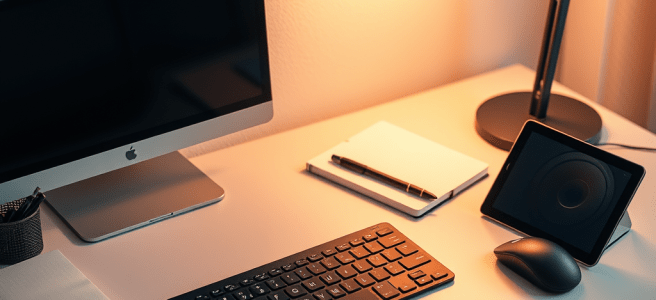
The New Writer’s Workshop

Writers love the idea of a setup — the desk, the lamp, the laptop, the curated aesthetic that signals to the world, and to ourselves, that we are Doing The Work. But after years of writing across phones, tablets, desktops, single‑board computers, and whatever else was within reach, I’ve learned something far simpler and far more liberating: most of the gear writers buy is unnecessary, most of the friction writers feel is avoidable, and most of the myths writers believe about tools are wrong. This isn’t minimalism. It’s realism. It’s about understanding the actual physics of writing — how ideas arrive, how flow works, how your hands interact with the page, and how modern tools either support or sabotage that process.

The biggest myth is that you need a new laptop to be a writer. This is the lie that drains bank accounts and fills closets with abandoned gear. Someone decides they want to write a book, and suddenly they’re shopping for a $1,500 laptop, a new desk, a new chair, a new monitor, a new everything. It feels like preparation, commitment, progress — but it’s avoidance. The truth is embarrassingly simple: your old desktop has more than enough power for a word processor and email. Writing is not a GPU‑intensive sport. It’s typing. And typing is a physical act — your fingers, your wrists, your shoulders, your breath. It’s the rhythm of your hands translating thought into text. That means the keyboard is the real tool of the trade.

When I say “spend more on your keyboard than your computer,” I don’t mean buy the $200 mechanical monster with custom switches and artisan keycaps. I mean buy the keyboard that feels expensive to you. I’ve had $30 keyboards from Best Buy that felt like luxury instruments — springy, responsive, comfortable, and built for long sessions. I’ve also had $150 keyboards that felt like typing on wet cardboard. Price is not the point. Feel is the point. A keyboard that feels good — whether it costs $30 or $130 — is worth more to a writer than any laptop upgrade.

Once you understand that, the whole economics of writing shift. Being a writer costs about $150 in parts: a cheap single‑board computer, a keyboard that feels expensive to you, and a decent mouse. That’s it. A Pi Zero 2 or Pi 3B+ is perfectly capable of running LibreOffice, email, a browser, and any lightweight editor you want. It outputs to an HDTV, it’s silent, it’s stable, and it’s cheap. Writers don’t need power. Writers need stability. And an SBC gives you that in a tiny, low‑power package.

But here’s the part almost everyone overlooks: an Android tablet absolutely counts as a real computer for a writer. Pair it with a slotted Bluetooth keyboard and a Bluetooth mouse, and it becomes a complete desktop. Not a compromise. Not a fallback. A full workstation. You get a real pointing device, a real typing surface, a stable OS, a full browser, Word, Google Docs, Joplin, Obsidian, email, cloud sync, multitasking, and even HDMI output if you want a bigger screen. For most writers, that’s everything. And because tablets are light, silent, and always‑on, they fit the way writing actually happens — in motion, in fragments, in the cracks of the day.

The real breakthrough comes when you realize that if you already have a phone, all you really need is a keyboard that feels expensive to you. A modern phone is already a word processor, an email client, a browser, a cloud sync device, and a distraction‑free drafting machine. The only thing it’s missing is a comfortable input device. Pair a good keyboard with your phone and you suddenly have a portable writing studio with a battery that lasts all day, instant cloud sync, zero setup time, and zero friction. It’s the smallest, cheapest, most powerful writing rig in the world.

The multi‑device switch on a Bluetooth keyboard is the quiet superpower that makes this possible. With that tiny toggle, your keyboard becomes your phone’s keyboard, your tablet’s keyboard, and your desktop’s keyboard instantly. You move between them with a flick of your thumb. It means your phone isn’t a backup device — it’s a first‑class writing surface. And because you always have your phone on you, the keyboard becomes a portable portal into your writing brain.

This leads to the most important lesson I’ve learned about writing tools: you will only use the devices that are on you. Not the ones that live on your desk. Not the ones that require setup. Not the ones that feel like “a session.” The ones that are with you. For me, that’s my tablet and my Bluetooth keyboard. Those two objects form my real writing studio — not because they’re the most powerful, but because they’re the most present. Writing doesn’t happen on a schedule. It happens in motion. Ideas arrive in the grocery store, in the car, while waiting in line, during a walk, in the middle of a conversation. If you don’t have a note‑taking device on you at all times, you’re losing half your writing life.

This is also why “writing sessions” fail. When you formalize writing — when you sit down, open the laptop, clear the desk — your brain switches into performance mode. It tightens. It censors. It blanks. It tries to be good instead of honest. That’s why the desk feels empty, the page feels blank, and the session feels forced. You’re trying to harvest without having gathered. Carrying a note‑taking device solves this. It lets you catch ideas in the wild, where they actually appear.

And while we’re talking about gathering, there’s one more tool writers overlook: the e‑reader. If you connect your Kindle or other e‑reader to your note‑taking ecosystem — whether that’s Calibre, Joplin, SimpleNote, or Goodreads — you unlock a research workflow that feels almost magical. When your highlights and notes sync automatically, your quotes are already organized, your references are already captured, your thoughts are timestamped, your reading becomes searchable, and your research becomes portable. Goodreads even orders your highlights chronologically, giving you a built‑in outline of the book you just read. Writing is so much easier when you can do your research in real time. You’re not flipping through pages or hunting for that one quote. Your reading becomes part of your writing instantly. Pair this with your tablet, your phone, and your Bluetooth keyboard, and you’ve built a complete, cross‑device writing and research studio that fits in a small bag.

Now add AI to the mix, and the picture becomes even clearer. There are two completely different economic models for using AI: local AI, which is hardware‑heavy with a front‑loaded cost, and cloud AI, which is hardware‑light with an ongoing service cost. The choice between them determines whether you need a gaming laptop or a $35 SBC. Most writers will never need a gaming laptop. But the ones who do fall into a very specific category: writers who want to run AI locally to avoid profile drift. Cloud AI adapts to your usage patterns — not your private data, but your behavioral signals: what topics you explore, what genres you draft, what questions you ask, what themes you return to. If you want a sealed creative chamber — a place where your research, your dark themes, your character work, your taboo explorations leave no digital wake — then you need local AI. And local AI requires GPU horsepower, VRAM, and thermal headroom. This is the one legitimate use case where a writer might need gaming‑class hardware.

But here’s the other half of the truth: your public writing already shapes your digital identity far more than any AI conversation ever will. Your blog posts, essays, newsletters, and articles are already part of the searchable web. That’s what defines your public profile — not your private conversations with an AI assistant. Talking to an AI doesn’t change who you are online. Publishing does. So if your work is already out there, using cloud AI isn’t a privacy leap. It’s a workflow upgrade. Cloud AI gives you the latest information, cross‑device continuity, the ability to send your own writing into the conversation, and a single creative brain that follows you everywhere. And because you already write on your phone and tablet, cloud AI fits your rhythm perfectly.

In the end, everything in this piece comes down to one principle: writers don’t need more power. Writers need fewer obstacles. The right tools are the ones that stay with you, disappear under your hands, reduce friction, support flow, respect your attention, and fit your actual writing life — not the writing life you imagine, not the writing life Instagram sells you, the writing life you actually live. And that life is mobile, messy, spontaneous, and full of moments you can’t predict. Carry your tools. Invest in the keyboard that feels expensive to you. Use the devices you already own — especially your tablet. Connect your e‑reader. Choose AI based on your values, not your fears. And remember that writing happens everywhere, not just at the desk.


Scored by Copilot, Conducted by Leslie Lanagan

The Technology Interview

I realized that I know a lot about information technology, and I have a lot of my own preferences when it comes to using computers. So, I asked Carol to give me some writing prompts that had to do with the way I view technology. There are a lot of them, but not all of them are good. So, in this entry, I’ll just be answering the questions I thought were worth answering.

What role does technology play in your daily life, and do you find it distracting or helpful?

I haven’t had the choice over whether or not to use technology since I was a kid. My dad got me a beeper, then a cell phone so that we could keep up with each other. The cell phone was nice. The beeper was not. Before I had a cell phone, it was like the Mission: Impossible theme would play in my head, getting louder and more ominous the longer it took me to find a land line. I lived that way for a couple of years, until cell phones became affordable. There was no argument over whether I was old enough for one- I must have been 17 or 18. Lindsay got it much easier because she’s not old enough to have worn a beeper. She could always text back. It is so damn interesting to me how much technology changed in the six years between when I got a beeper and Lindsay got a cell phone. Not only is her reference for technology newer than mine, she did not have any early adoption issues with things like typing on the screen. For instance, my favorite phone before they stopped selling them was the Blackberry Pearl. I was much more competent on the thumb board than I am on anything else. I try to text using voice dictation, but it doesn’t work that well. So, I carry a Bluetooth full-sized keyboard wherever I go. It has three Bluetooth slots that you access through keystrokes. Therefore, I can text on my phone, Android, or iPad and it’s the same feel as a desktop. I wouldn’t say that I was bad at texting on my phone after all these years of doing it. It’s more that I type 90 wpm and I get frustrated that I can’t move that fast on a screen…….. like my sister can. Overall, I would say that technology is a help unless you are overextending yourself trying to keep up on top of every message and notification. “Do Not Disturb” is a great feature, and in iMessage, it will actually tell someone that your phone is on DND so they won’t expect a response right away. Life only moves as fast as you let it, and social media notifications are ruining us all….. like, to the point that there are hundreds of Gen Z kids explaining to other Gen Z kids how to get a Kindle, an MP3 player, and a dumb phone. They’re tired, and they’re funding the backlash.

How do you balance personal interactions with technology? Do you think it affects the quality of relationships?

I am really, really careful about that. If I’m out with someone and it’s not my dad, sister, Zac, Supergrover, or Bryn, you have my undivided attention. I will not interrupt you for anything unless those five people call. This is not because you are less important than they are. It’s that they are my commitments, the ones I’ve made the executive decision to always answer. On the flip side, they would not call unless shit had seriously hit the fan. Not one of them would want to interrupt me when I’m with someone else, so I know that if they call, it’s a 911 at worst and a 411 at best. In short, I don’t pick up my phone to call or text over stupid shit. I am all about being present.

For all my overseas fans, 911 is who you call for an ambulance/policeman/etc. 411 is who you call for information, like a telephone operator (yes, they still have those- VoIP is just as terrible as land lines in terms of maintaining absolutely stable connections. I think we all learned this with Zoom when everyone had different network speeds at their houses.

Has technology made you more productive in your personal life? If so, how?

Technology has made me productive since high school, and I wish I still had my computer from back then. My stepmom is a doctor, so she paid for the very best computer available in 1990. It was a Macintosh SE, and it was more fun than the law allowed. Imagine it, people…. a computer where there’s no chance in hell you could connect it to the Internet (I’m sure you could now with mods, but why? It’s not like the operating system needs updating… There aren’t any servers to connect for those updates.

But even before that, my grandfather got a Texas Instruments computer (a 99/4A or something like it) that plugged into your TV. I wish I had learned BASIC then, because I’d have a much easier time learning new syntax (all computer logic is the same. It’s just that sometimes it looks like French, sometimes it looks Italian, etc. It’s coders finding new languages in which to be fluent, because trends pass. For instance, Adobe Flash is no longer a thing. The joke at Apple was that the tablets for the Ten Commandments would run Flash before the iPad. However, I had plenty of fun with the games that were included, and you could buy more with cartridges that looked kind of like Nintendo games. The cartridge wasn’t the same shape, but it was the same idea. I think I even blew on one once. 😉

The problem is that I do not understand logic or object-oriented programming. It could be java or javascript or Python or Ruby on Rails. Doesn’t matter. I know HTML/CSS (Hyper Text Markup Language and Cascading Style Sheets). It doesn’t have anything to do with logic except figuring how to layer text and images I know a lot about using the x, y, and zed dimensions to make everything float correctly no matter what size window your browser is in, or what you use as a resolution on your computer. It’s a shame that WordPress has gotten away from all of these things when layout and design was so much more complicated- not in terms of coding it, in terms of having the web site look just the way you want it.

Now, I have moved on to AI for all the practical stuff, because it really is good at being a secretary. It does all my research and writing prompts for me right in my browser. I disabled Copilot in Windows 11, but that’s because I don’t use it in the operating system. I only use it when I am using Microsoft Edge to write blog entries. It has a very specific use case that does not involve AI doing my writing for me.

Although I might ask it for a satirical blog entry written in my style, just to publish it as fiction if it’s as funny as I want it to be. The best part of Copilot is that it will scan my web site in seconds and give me something personalized…. that really is in my tone and style.

What excites you about using the latest technology?

I like creating media boxes that constantly have updated software to create things for my blog. I used Audacity when I was recording my entries. The linux distribution “Ubuntu Studio” has every creative piece of software you can possibly use. Blender is great at making 3D models, as well as Google Sketchup. I am all about using technology for me, like a CNC machine. I do not want to be an early adopter of everything. I need to wait and see what the privacy issues are, and make sure there have been enough security patches released that I can count on the operating system to get out of my way. Windows makes it impossible, because most of your notifications come from them.

  • How likely are you to recommend Windows to a friend?
  • There are news articles full of crap if you leave widgets enabled on the left side of the toolbar. It wouldn’t be so bad if it was the weather that just sat in my taskbar, but it’s not. That little icon opens everything you need to get lost in a news hole….. and it’s not even good news. It’s random crap you’d get on a Google or Microsoft home page.
  • Don’t you want to upgrade to the full version of Microsoft Office?
    • As it turns out, I did. A subscription gives you a TB of space. That’s twice as big as I can use because my hard drive is only 512 MB. I could get NVME drives that would up my space considerably, but I can upload it to the cloud and not keep it on my computer all the time. I should upload all my Skyrim mods, because I don’t think I could upload the game itself- mods are open source. However, they increase my game folder by at least 60 GB. It took me years to collect them all because unless you have a premium account at Nexus Mods, they throttle your bandwith at 3GB/s. I do not want to redownload all of them, because mods like “Legacy of the Dragonborn” and Beyond Skyrim: Bruma are each several gigs apiece, especially if you’re like me and want to download the larger textures. I run them through a program to make them smaller, but I won’t if I get a better computer. My computer right now is just not fast enough to support an external GPU, and anything I’d really want would be $500-$1,000. That’s because my current computer can play Triple A titles, even turning up the settings to ultra. But that’s in the base game. Once I start overhauling everything, the textures are much larger. My current video card only has 512 MB of dedicated memory and shares 8GB with my DDR5 that controls the system. What I would want is 8GB of dedicated graphics memory, because it works so much better than sharing RAM with the operating system, and most new cards have enough speed to not only play games, but to rip moves at the highest quality very, very fast. Editing pictures and video is the same way. You do not want a cheap media box to render video, and I have to have a desktop and not an iPad/Android because the web site opens up much more features. For instance, my iPad won’t let me upload audio files to my space on WordPress, which is why I used SoundCloud. If I really liked recording my entries, I would have bought a premium membership by now. I just looked at my web stats on it and it freaked me out to no end, because not only did it show which countries were listening, it was so granular that I could pick out individual neighborhoods. I don’t need to know who is listening to that degree, because it only makes me anxious.
  • You have security issues like not using our browser.
  • Tell us what you think…. about everything. Microsoft Office, Edge, Visual Studio Code, you name it.

I also now have the solution. Windows 11 Debloat. It’s a script you run in power shell that gets rid of all the crap. Enjoy it to the best of your ability, because I sure have. It gets the operating system out of the way.

Lastly, my favorite app of all time is Mozilla Thunderbird. Microsoft Outlook only thinks it’s an e-mail client. There are too many open source plugins that make Thunderbird 10 times more useful. Web mail is fine, but I have like four e-mail addresses I have to keep track of at once. But because my Google account is something like 20 years old, it’s not the files I’ve stored that make my Google Drive fill up. It’s mail. It’s enough to drive you from online shopping ever again.

Because they’ll send you e-mail surveys all the time, just like Micro$oft.