
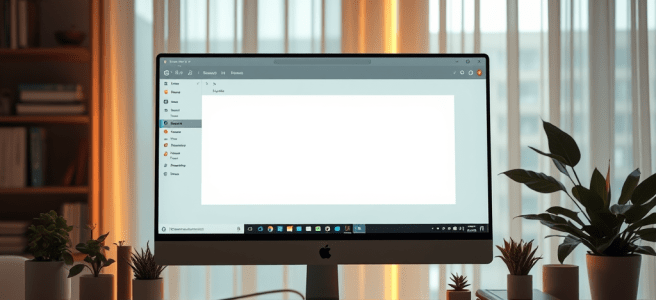
Outlook is already one of the most powerful tools in the Microsoft ecosystem — but in an AI‑first world, it could become something far more transformative. I’m not talking about incremental improvements or smarter autocomplete. I’m talking about a Pages‑style Copilot experience inside Outlook: a unified, conversational interface with continuity, memory, and context.
A Copilot that doesn’t just sit in a sidebar, but actually knows you.
A Copilot that carries your projects, your patterns, your shorthand, your rituals.
A Copilot that moves with you across email, calendar, tasks, and reminders as a single cognitive partner.
This is my vision for what Outlook could become.
A Conversational Entry Point, Not a Menu System
In the future I imagine, Outlook doesn’t open to Mail or Calendar.
It opens to a text box — the same way Pages does.
A place where you can simply say:
- “Set up a meeting with Brian next week.”
- “Find the email where Ayalla sent the permission slip.”
- “Block off Friday morning for writing.”
- “Draft a reply that’s warm but firm.”
No clicking.
No navigating.
No remembering where things live.
Just intent → conversation → action.
Outlook becomes a listener, not a maze.
Copilot With Continuity — The Same One Everywhere
Right now, Copilot feels different in every Microsoft app.
Different tone.
Different capabilities.
Different memory.
Different personality.
But in my vision, Outlook gets the same Copilot I have in Pages — the one with:
- memory hooks
- project awareness
- narrative continuity
- shorthand understanding
- emotional cadence
- contextual intelligence
The Copilot that knows my life, not just my inbox.
Imagine drafting an email and Copilot already knows:
- the project it belongs to
- the tone you prefer with that person
- the commitments you’ve made
- the deadlines you’re juggling
- the rituals that anchor your day
That’s not a feature.
That’s a relationship.
Calendar Management Through Conversation
Scheduling shouldn’t require a UI.
It should be a dialogue.
In this future Outlook, you’d say:
“Move my meeting with Tiina to the morning instead.”
And Copilot would know:
- which meeting you mean
- your availability
- her availability
- your preferences
- your patterns
Because it’s the same Copilot that’s been with you in Pages, Word, and your daily planning.
The continuity is the magic.
Email That Understands Tone — Especially for Neurodivergent Users
One of the most important parts of this vision is tone interpretation.
For many neurodivergent people, email isn’t just communication — it’s a decoding exercise. The ambiguity, the brevity, the implied meaning… it’s exhausting.
In my future Outlook, you could ask:
- “Does this sound frustrated?”
- “Is this person upset with me?”
- “Is this a neutral request or a correction?”
And Copilot would give you a grounded, steady interpretation.
Not to replace your judgment — but to reduce the cognitive load of guessing.
Tone interpretation becomes:
- an accessibility feature
- a cognitive accommodation
- a stabilizing force
A way of saying: You don’t have to decode this alone.
Tasks, Reminders, and Follow‑Ups That Flow Naturally
In this vision, Outlook stops being a cluster of modules (Mail, Calendar, Tasks) and becomes a single cognitive space.
You say:
“Turn this into a task for Friday.”
And Copilot knows:
- what “this” refers to
- what project it belongs to
- how urgent it is
- how you like to structure your week
Because it’s the same Copilot that helped you plan your day in Pages.
The system becomes fluid.
Your life becomes easier.
Why Outlook Is the Perfect Home for This Future
Outlook already holds:
- your commitments
- your relationships
- your communication history
- your patterns
- your priorities
It knows the shape of your life better than any other Microsoft product.
All it needs is a Copilot with continuity — the same one you talk to in Pages, the same one that understands your projects, your rituals, your shorthand.
A Copilot that isn’t an assistant, but a cognitive partner.
The Future of Outlook Is Conversational, Unified, and Personal
This is the Outlook I want to see:
- a Pages‑style conversational interface
- a unified Copilot identity
- memory hooks that carry across apps
- tone interpretation as accessibility
- natural‑language scheduling
- fluid transitions between email, tasks, and calendar
- a single cognitive presence that moves with you
Not a sidebar.
Not a widget.
Not a feature.
A partner.
A continuity of mind.
A way of working that finally matches how people actually think.
And once we have that, productivity won’t feel like work anymore. It will feel like conversation.
Scored by Copilot, Conducted by Leslie Lanagan


 Stories That Are All True